For independent product businesses
Your business has a lot of branches. Give them one home.
Your storefront, the markets you stand at, pickup and local delivery, the platforms you already sell on. Roots HQ keeps the products, orders, customers and events behind all of it in one workspace — on the web, and on Android with Roots Manager and Roots POS.
Find where my business fits 4 questions · No email · No account

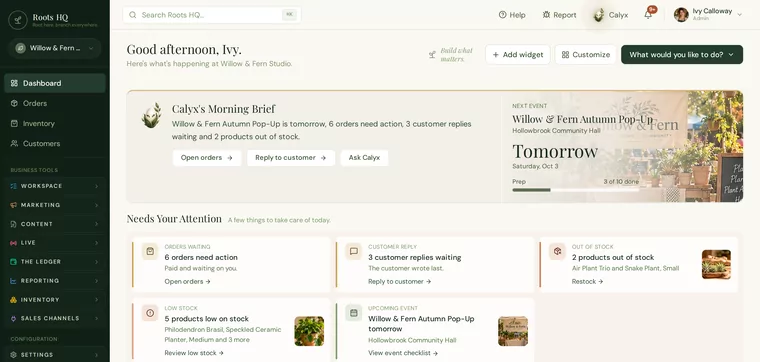
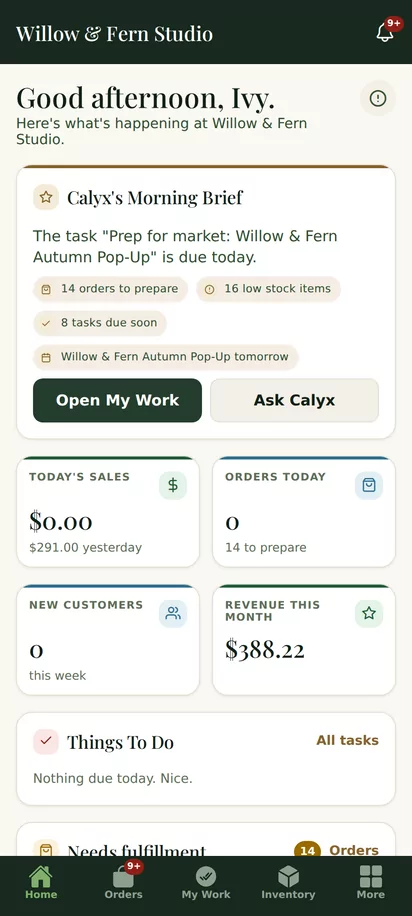
Real Roots HQ screens. Willow & Fern is a fictional demo business; all data shown is demo data.
One business, wherever you are working
At your desk. At the market. In the middle of the workday.
The same business, the same products and the same orders — three ways in, each built for where you are.
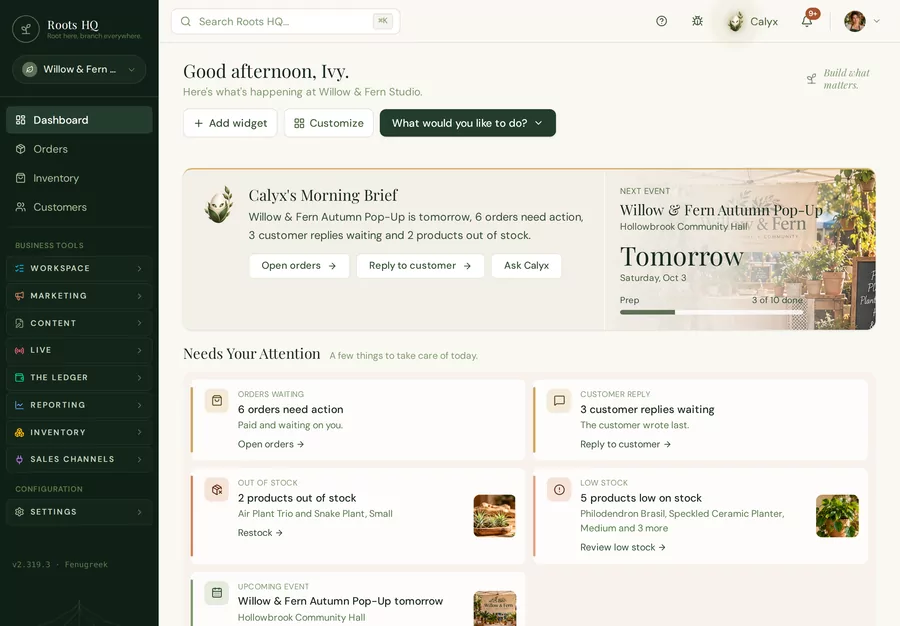
Roots HQ, in the browser
The headquarters: products, orders, customers, events, your storefront and your reporting.
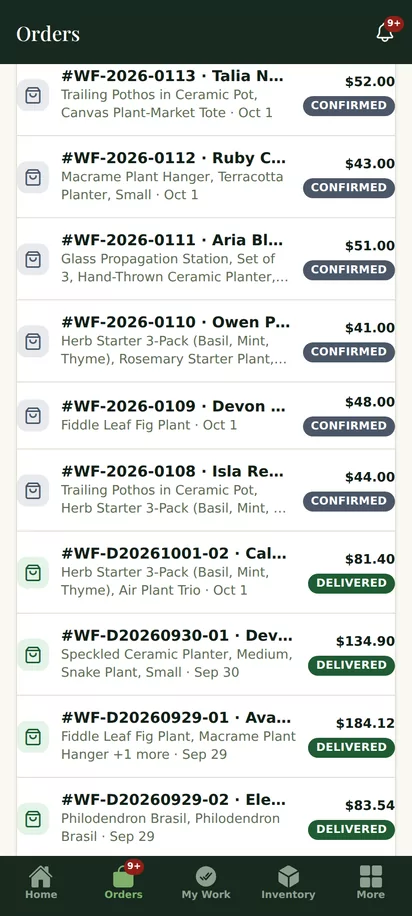
Roots Manager
Run the day away from the desk: orders, inventory, your work and Calyx’s brief. Android.
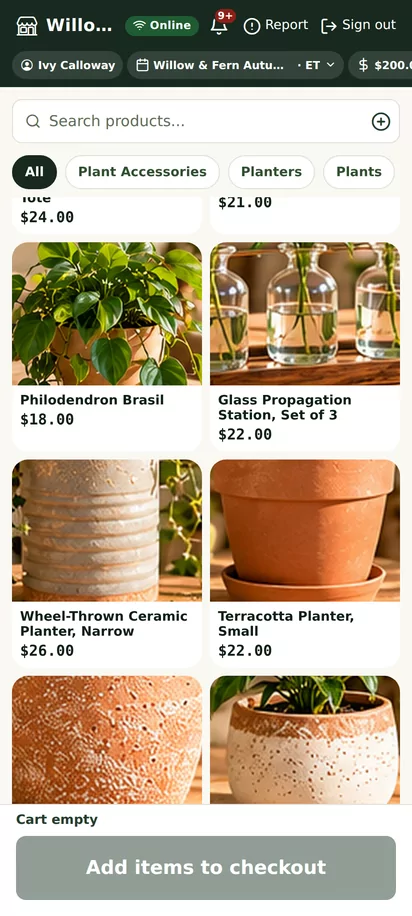
Roots POS
Sell at the booth or the counter, against the event you are at. Android phone or tablet.
Real Roots HQ screens. Willow & Fern is a fictional demo business; all data shown is demo data.
What would Roots HQ look like for your business?
Tell us how you sell, and we’ll show you the parts of Roots HQ that fit the way you work.
How do you sell?
Every way you sell, landing in one place.
Choose the one that sounds like you.
Your shop is part of your headquarters.
Add a product once and it can appear in your Roots HQ storefront, with its own page you can share. Orders from the shop arrive with everything else.
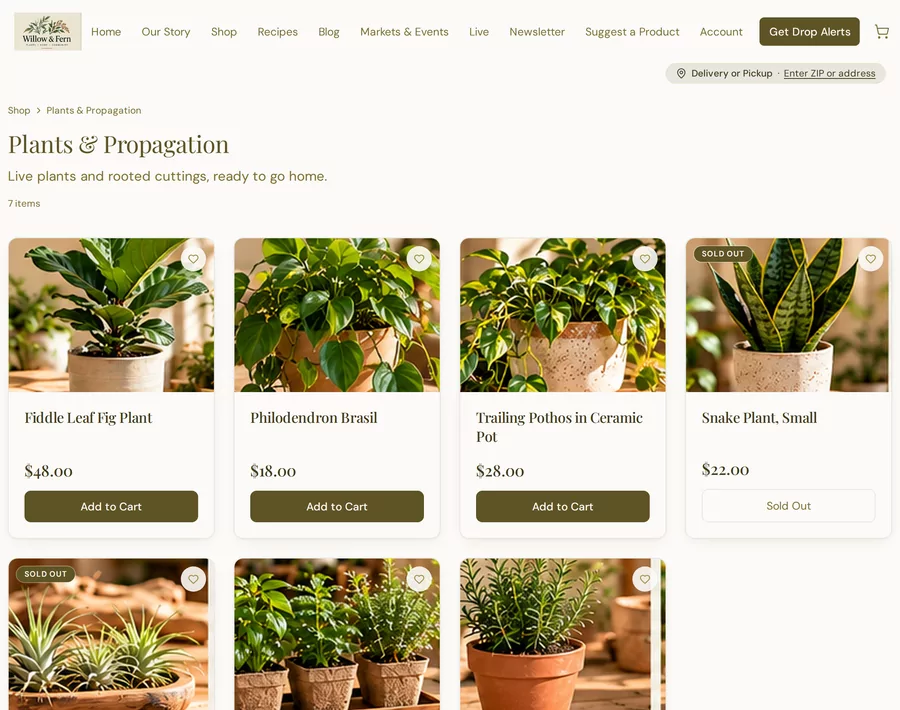
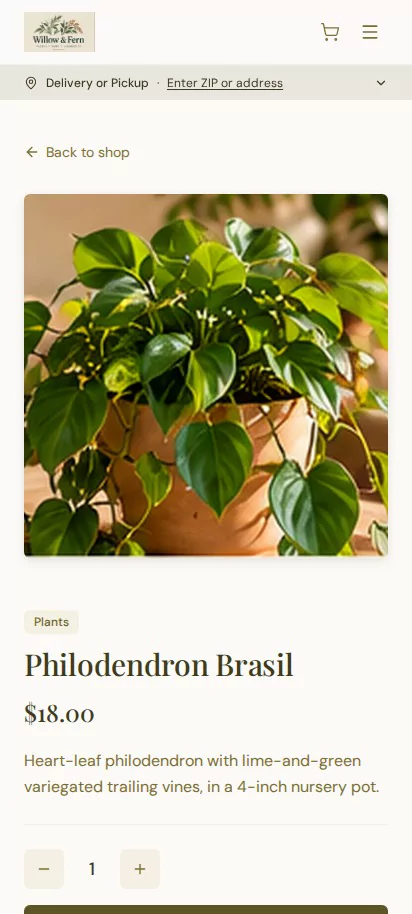
Real Roots HQ screens. Willow & Fern is a fictional demo business; all data shown is demo data.
Enter it once
Enter it once. Use it everywhere it belongs.
Follow one Willow & Fern product, Philodendron Brasil, from the moment it is added to the places it sells.
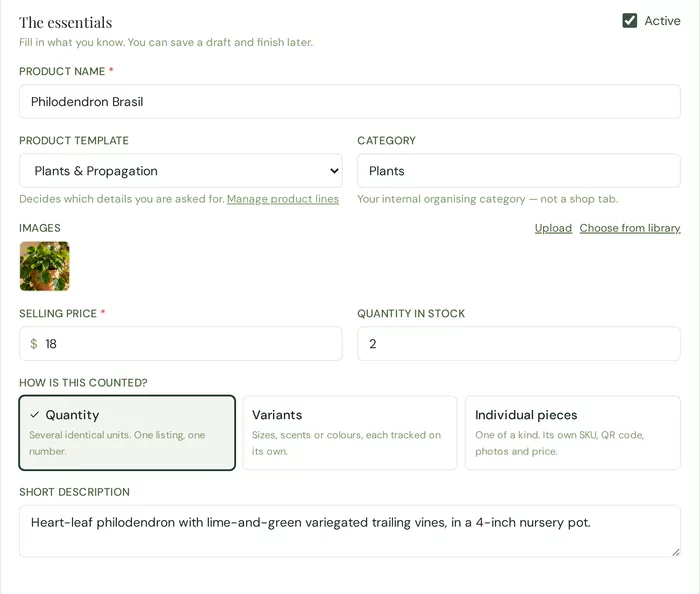
01 · Product editor
Add it once
Photo, name, price, description and how it is counted.
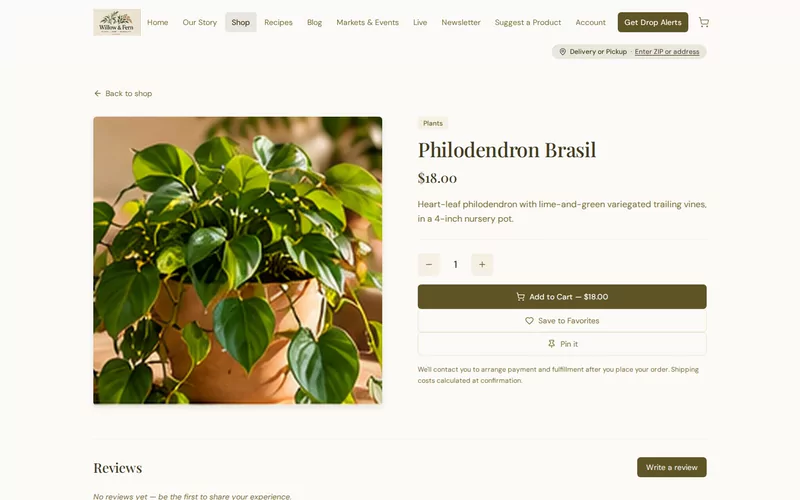
02 · Storefront
It is in your shop
The same product, on a page customers can find and you can share.
03 · Roots POS · Android
It is at the market
The same product in Roots POS at the Autumn Pop-Up.
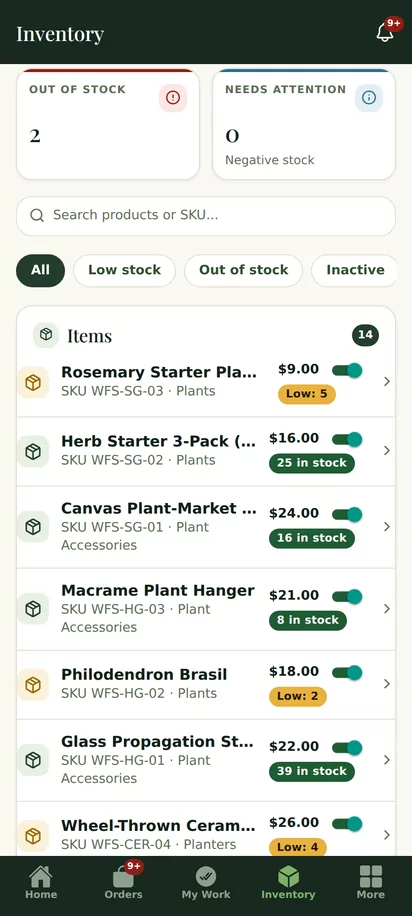
04 · Roots Manager · Android
It is in your stock
One count behind every place it sells, on the web and in Roots Manager.
Real Roots HQ screens. Willow & Fern is a fictional demo business; all data shown is demo data.
Markets & events
A market isn't just a date on the calendar.
An event in Roots HQ carries the work around it, so the Saturday booth and the rest of the business stay one business.
- 1
Plan it
- 2
Take orders ahead
- 3
Prepare
- 4
Sell at it
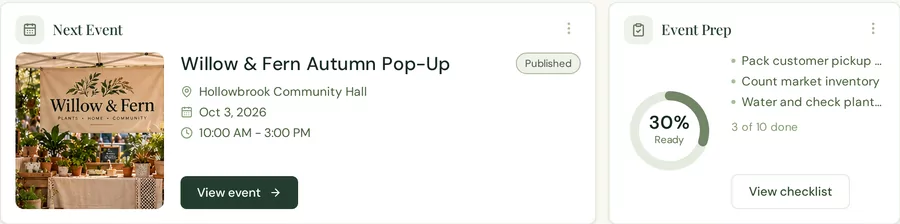
Real Roots HQ screens. Willow & Fern is a fictional demo business; all data shown is demo data.
Your headquarters. Your way.
It should feel like your business — because it is.
Roots HQ stays Roots HQ. What fills it is yours — your products, your events, your customers, your photos and the way you work. Even the dashboard can be arranged around what matters to you this week.
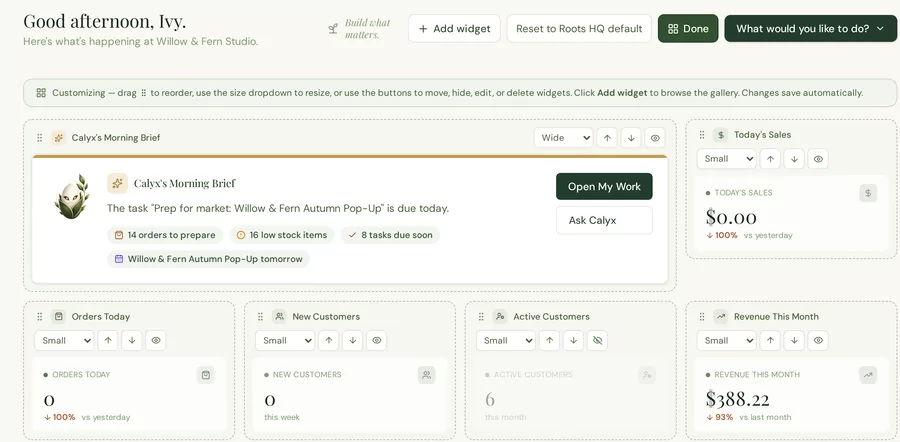

Your photo on your account

Your product photography
Your event’s cover image

Your logo on your storefront
The interface is Roots HQ’s; the business inside it is yours. Ivy, her photos and her logo belong to Willow & Fern, our fictional demo business.

Calyx, built into Roots HQ
Calyx helps you see it. You decide.
Calyx reads what is happening in your workspace — orders waiting, stock running low, the next event — and tells you in plain words. When it suggests a change, you see what it will do first.
Propose
Calyx spots something and suggests a next step.
Review
You see exactly what would change.
Apply
Only when you confirm. Or not at all.
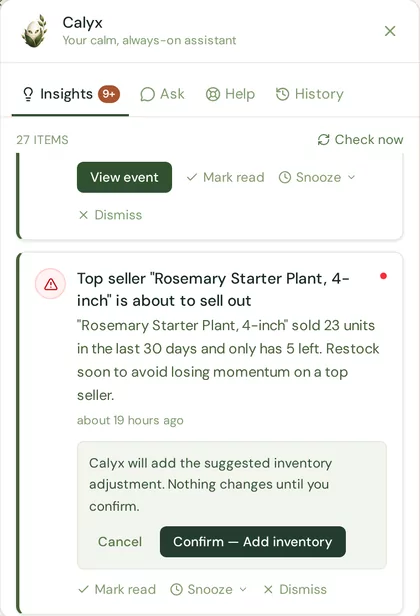
Calyx’s own review step, from the Willow & Fern demo workspace (fictional data).
See the business together
Where your sales come from, in one view.
Your own shop and the other platforms you sell on, side by side — and the customers behind them, whichever way they bought.
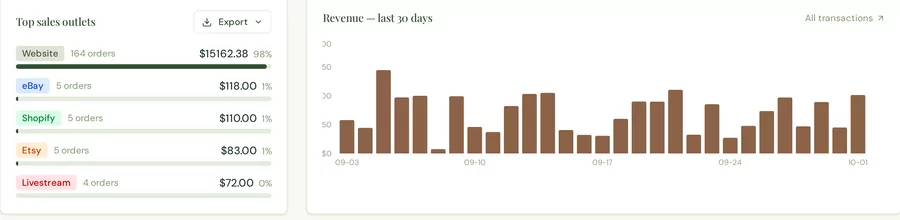
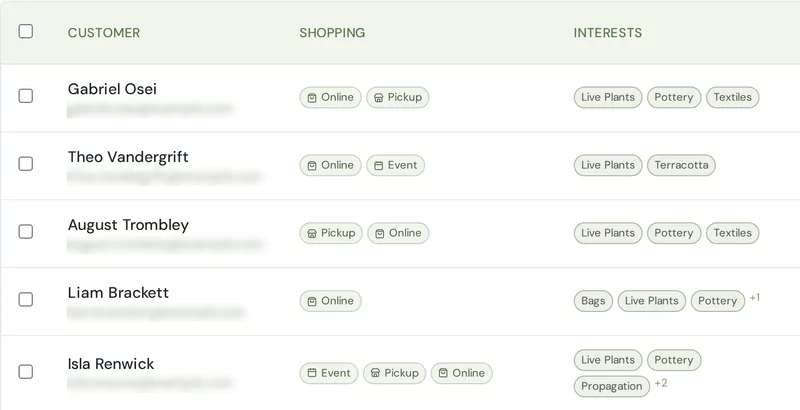
Real Roots HQ screens. Willow & Fern is a fictional demo business; all data shown is demo data, and customer emails are blurred.
About 75 seconds
See Roots HQ in action.
Jen, our co-founder, follows one product through Willow & Fern — from adding it, to selling it online and at an event, to the order and the report.
Read the transcript
Hey, it’s Jen, co-founder of Roots HQ. I run a small product business too, so I know one new item means more than adding a photo and a price. There’s getting it listed, letting customers know about it, handling the sale, getting the order to them, and figuring out how it did. Let’s follow one product through Willow & Fern, our fictional demo shop. We start by adding the item and its details. Then we make it available online, at event, or both. Once it’s listed, customers can find it in the storefront, and we have a page we can share. When a sale comes in, we can see what needs to happen next. Shipping, pickup, local delivery, or an event sale. Afterwards, reports help us see what sold and where the sale came from. That’s Roots HQ, one workspace for the work around selling, whether you sell online, events, or both. We’re inviting vendors to apply for the beta. Take a look around and tell us what would make Roots HQ useful for your business.
The example, not the limit
Willow & Fern sells plants. Your business might bake, pour, polish or sew.
Willow & Fern is our fictional demo. Earth Born Roots is real: it’s our co-founder Jen’s business, and it runs on Roots HQ every day — bread, preserves, soap and minerals, at markets and online. Different products, the same headquarters underneath.




Photographs by Earth Born Roots, used with permission. Earth Born Roots is related to Roots HQ through our co-founder; this is not a customer testimonial.
Business fit
Where is your business growing next?
Every business grows differently. Answer four quick questions about where yours is today, and we’ll help you see where Roots HQ may fit.
4 questions · No email · No account
Four questions about where your business is today — and what you want it to feel like six months from now.
Your answers stay in this browser. Nothing is sent to us.
Root · Branch · Canopy
One headquarters. Three ways to grow into it.
Root
$99/month
Control
For the owner building the foundation.
Root gives the owner control.
Branch
$199/month
Time
For the owner ready to do more without doing everything manually.
Branch gives the owner time.
Canopy
$299/month
Visibility + coordination
For businesses with more moving parts to keep connected.
Canopy gives the owner visibility and coordination at scale.
Every plan starts with an application. We’ll talk through which one fits with you.
Root here. Branch everywhere.
Tell us about your business.
Roots HQ is currently welcoming selected businesses into the beta. Every business applies the same way: tell us where you sell and what takes too much of your time — that is how we learn whether Roots HQ fits, and where your setup should start.
What the application is for
- Tell us how you sell, not why you deserve it
- Standard onboarding is included with every Roots HQ plan.